Course Look Up Overview
Intended Use Case
Course look up is intended to provide a quick and easy way to view individual sections based on query parameters.
This is useful in many cases where another report flags something interesting and we want to look closer at the details to see why we are getting a given aggregate result.
Overview of Basic Usage
Using Basic Parameters to filter the list is straightforward.
This view can also be adjusted to provide different perspective on cross-listed sections.
The History department is a very good example.
Here we can look at a query that asks to see all 2ndLevel History Sections in AY24-25
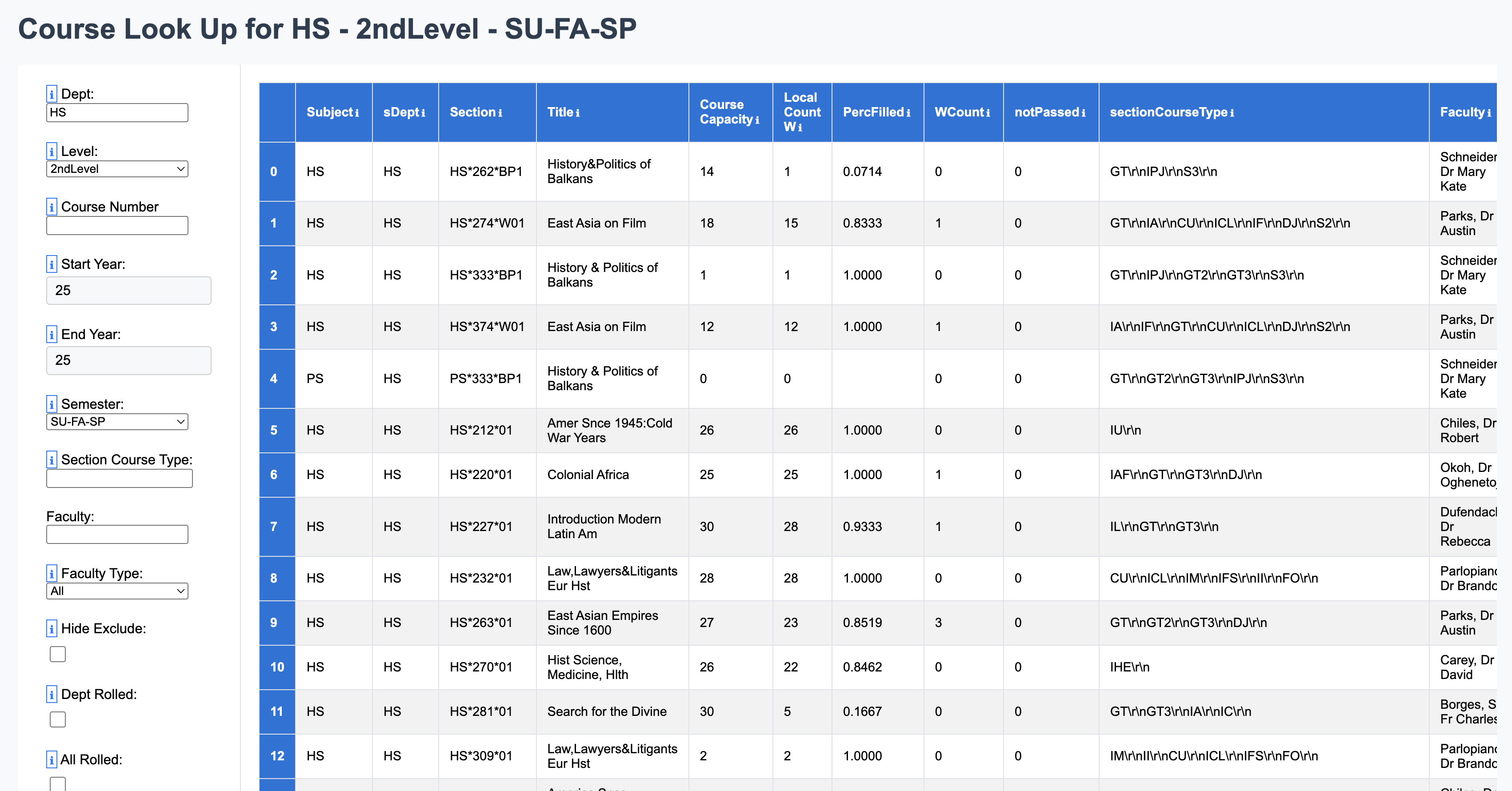
History is a special challenge here because it has several sections that are cross-listed within the department and also cross listed with another department.
The course History of Christmas is a very special cases.
HS 254-01 is cross-listed with HS 313-01
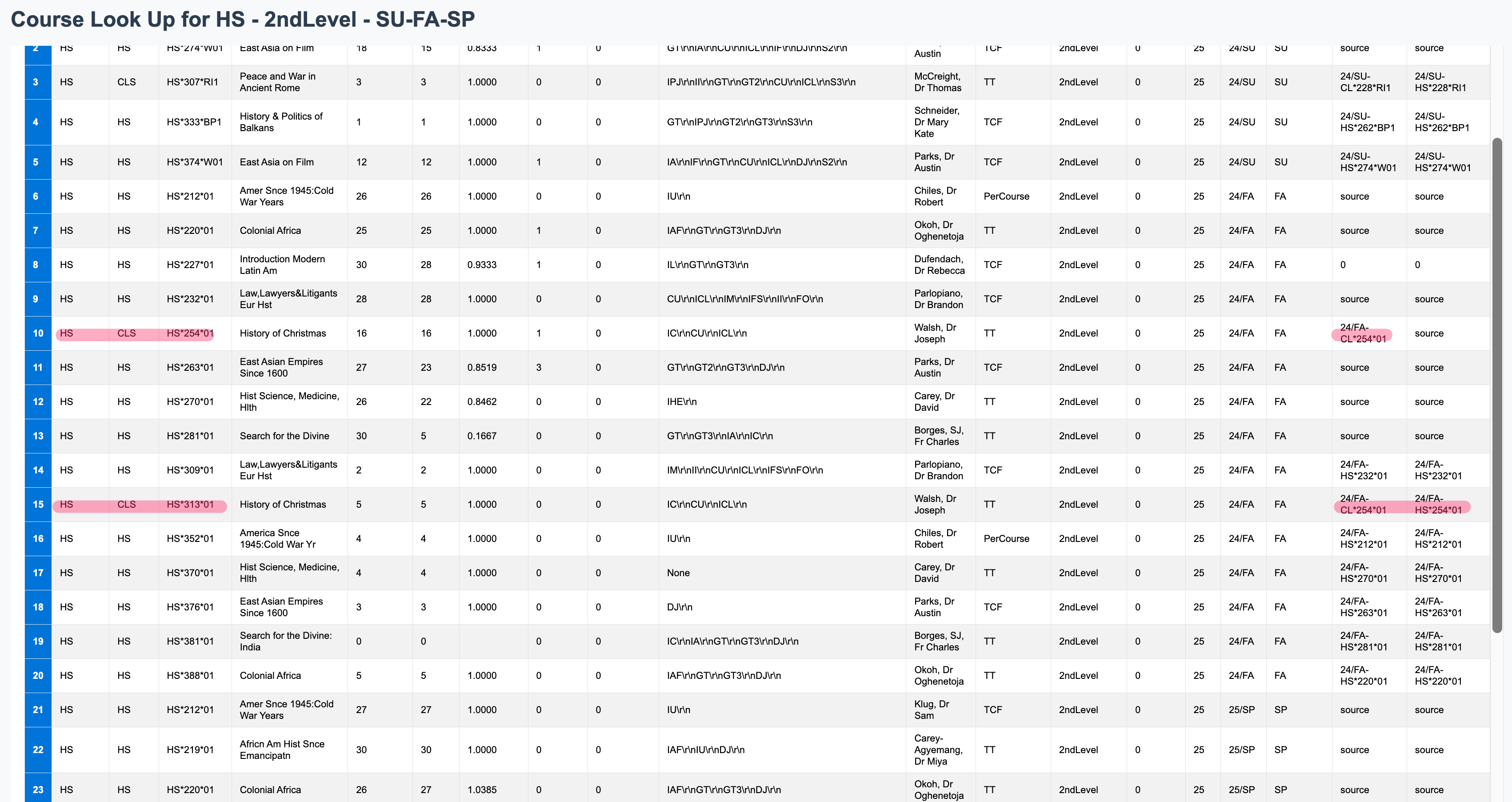
But we can also see that it is cross-listed with CL254-01 and CL313-01 and actually taught by someone in the Classic Department
From the History Dept perspective, we certainly want to see how many History Seats are available, but we also don't want to see inflated capacity that distort the fill rate.
Since CL254-01 has actually been marked as the true source of this single course, the capacity of of HS254 and 313 have changed to match the number of seats filled.
We can, a seen below, also "roll this up" within history so that the history department can see this as a single number and quickly ascertain the number students who have enrolled in this section through the HS classification.
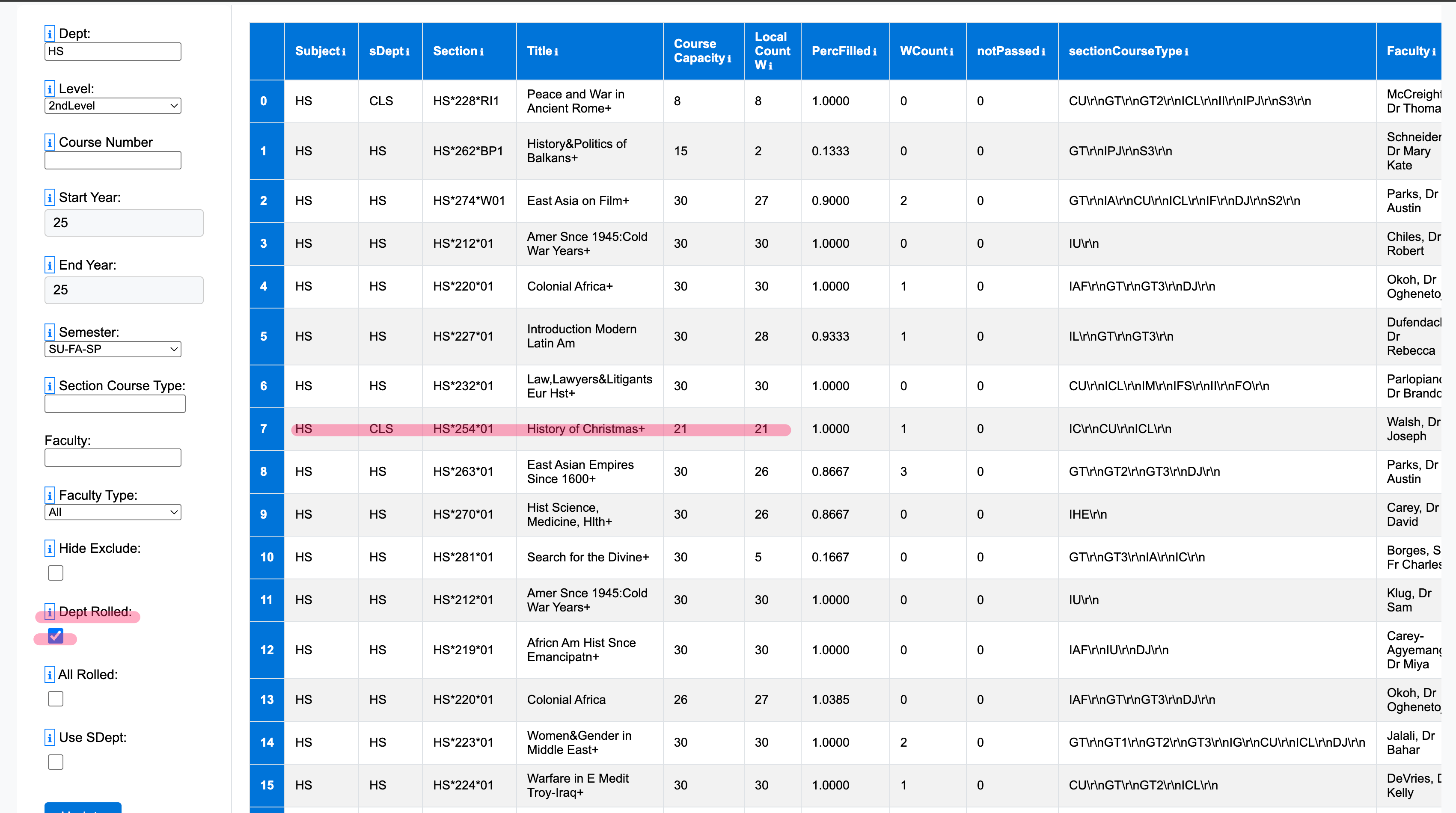
The capacity of classics will take the remainder of the seats, and we can clearly see that 3 students enrolled in this class through the CL designation.
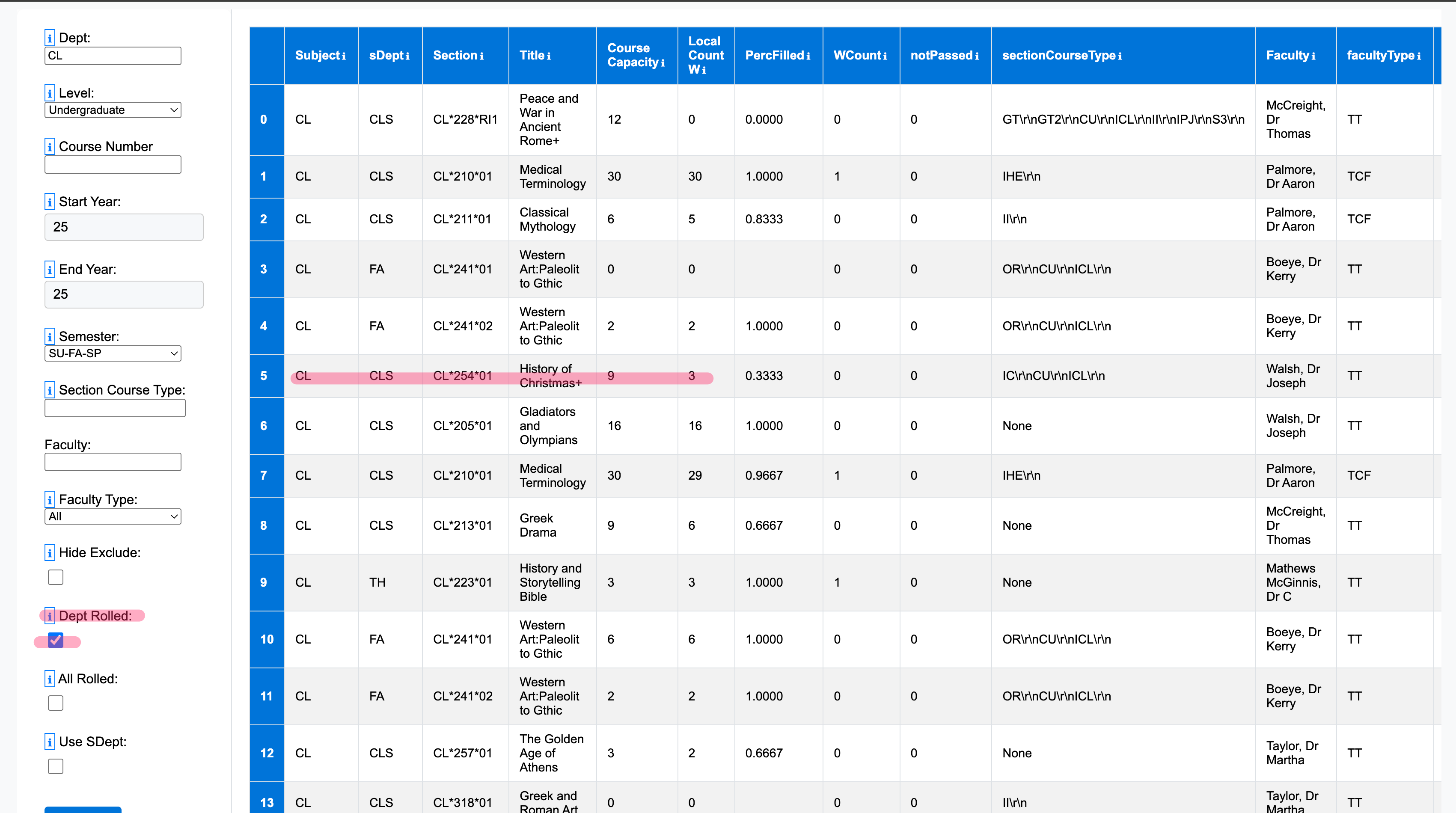
However when it comes to cost and revenue (rather than seats projects) we want to roll up all these seats into the "source" department, so we can accurately compute the cost against total revenue.
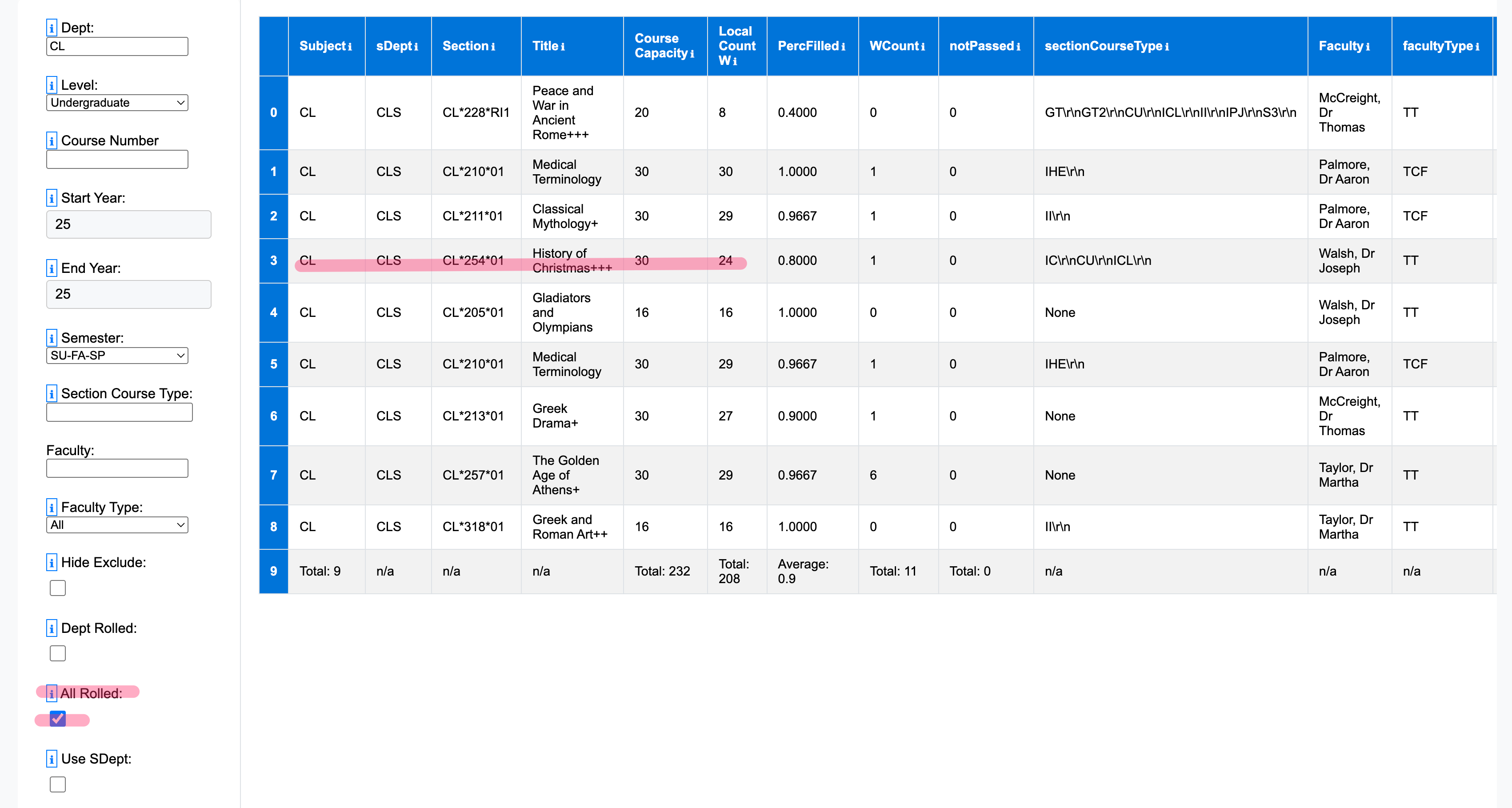
In this case we will "roll up" all classes into their source department. Below History of Christmas has three "+"s indicating that it has rolled up 3 cross-listed sections within it (2 in history and another in classics.) Now can accurately see the total capacity 30 and number of filled seats, 24, regardless of which department designation a student used to enroll in that class.
In addition to rolling up cross-listed courses, filtering by Source department will also include courses taught by a department's faculty teaching outside their subject designation area (such as a classics professor teaching a history course that is not cross-listed with classics or a professor teaching an honors section). As we can see below, this perspective is less interested in the number of seats offered within a given subject area, and focus more on how many sections were taught with a paying department regardless of the subject designation of that section.
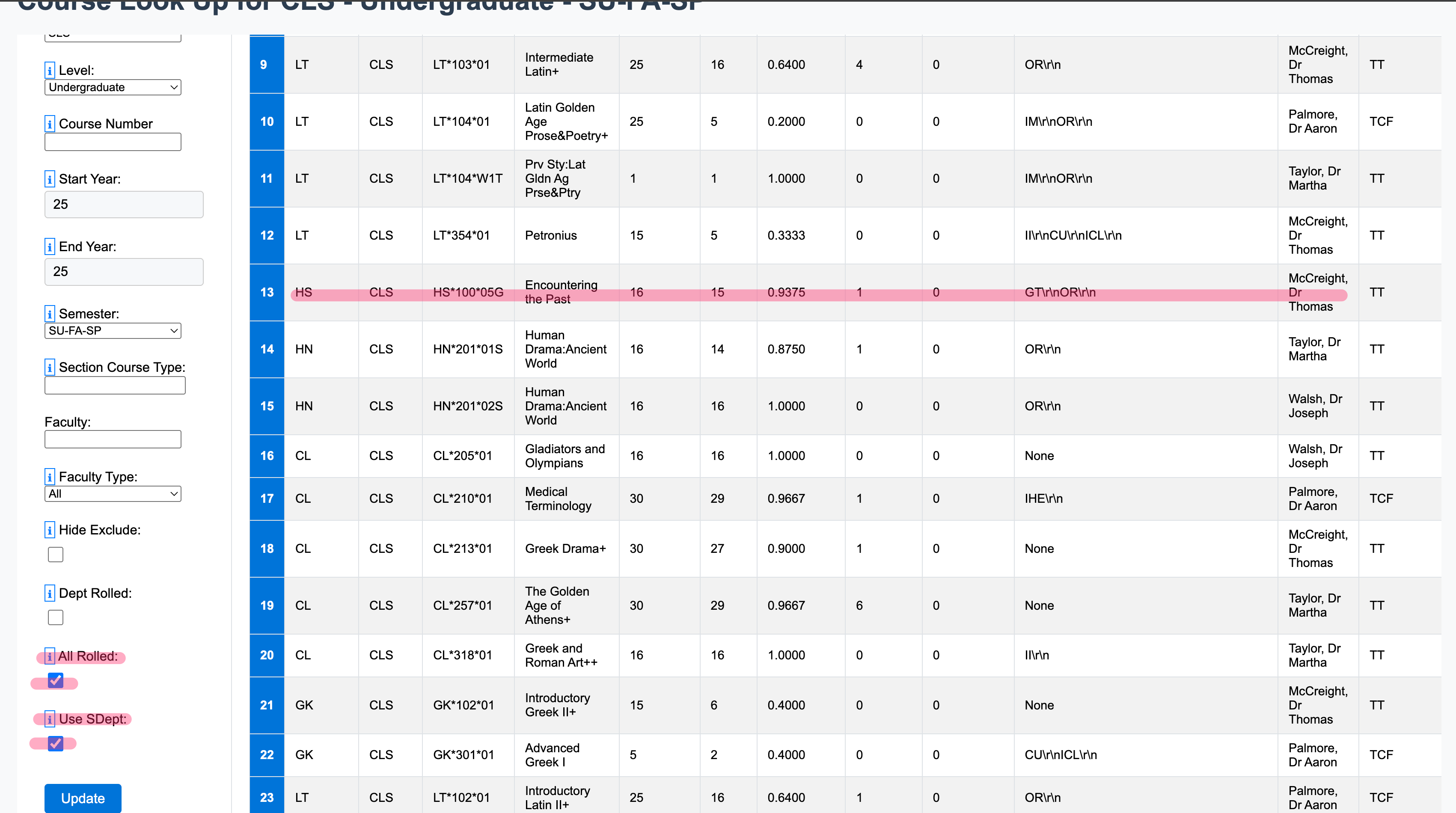
In the above we can see that "HS-100-05G" while not cross listed with classics at all, and therefore offering now classics seats, was still taught be a member of the classics department. Through this perspective the costs and revenues of this section can be included in the totals for the classics department.
According, this is the perspective we want to use when assessing the cost and revenue of the history department and classics departments. But it's NOT the perspective, we review the number of classics or history seats offered in a given or projecting how many should be offered in the next year. For this latter perspective, we should unselect "All Rolled" and "Use SDept".